
UK IPTV Player Guide
Best IPTV Apps UK: 5 Players Compared
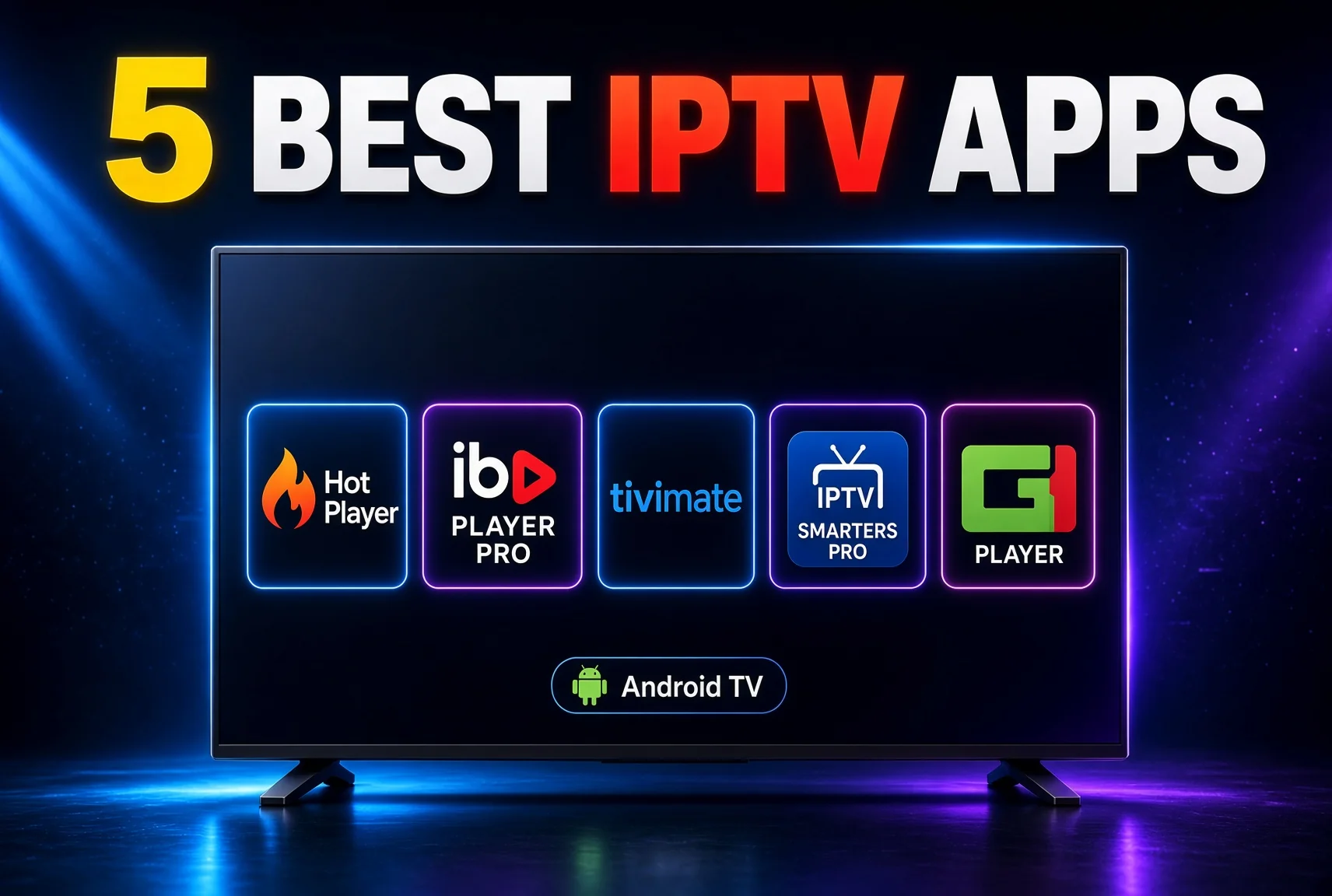
The best IPTV apps are not necessarily the apps with the largest feature lists. The right player depends on your device, remote control, playlist format, electronic programme guide, accessibility needs, privacy expectations and the legitimate content source you use.
This guide compares HotPlayer, IBO Player Pro, TiviMate, Smarters Pro and CR Player for readers using Firestick, Android TV, Google TV, Android boxes, Smart TVs, mobile devices and computers. It explains what to check before installation, how player apps differ from providers and which features can affect everyday usability.
An IPTV app does not automatically supply channels, films, sport or on-demand content. It organises or plays compatible streams, playlists or account data supplied through a separate source. For background, read what IPTV is and how it works.
Quick answer: The best IPTV apps depend on your device, preferred controls, playlist or account format, programme-guide needs, accessibility features, privacy expectations and budget. HotPlayer, IBO Player Pro, TiviMate, Smarters Pro and CR Player should be checked against these criteria before installation or payment. None of the apps automatically confirms that a content source is authorised.
What Is an IPTV App?
An IPTV app or player is software that organises and plays compatible video streams delivered over the internet. Depending on the application, it may display categories, search results, favourites, programme information, subtitles and playback controls.
The player is separate from the provider. A provider manages the customer account and supplies or licenses the content it offers, while the player displays information supplied through a compatible playlist or account.
| Component | Main function | What it does not prove |
|---|---|---|
| IPTV app or player | Organises and plays compatible streams | That content is authorised |
| IPTV provider | Supplies or licenses content access | That playback is always reliable |
| Playlist | Provides stream or programme information | That the source has distribution rights |
| EPG | Displays programme information | That every listing is current |
| Streaming device | Runs the app and displays video | That the app or provider is trustworthy |
A playlist may use a format such as M3U or M3U8, while an EPG provides programme titles and scheduling information. Support for a format does not mean that the player supplies content or verifies the source behind it.
Compatibility can vary by device, operating system, model, region and app version. Read our IPTV player guide and IPTV explained for more background.
How to Compare the Best IPTV Apps
The best IPTV apps should be compared using features that affect everyday viewing. A large feature list is not useful if an app is difficult to control with a remote, unavailable on your device or poorly documented.
Consider:
- Device and operating-system compatibility.
- Official app-store availability.
- Remote-control navigation.
- Search and categories.
- Favourites and watchlists.
- Electronic programme guide support.
- Subtitles and audio-language options.
- Profiles and parental controls.
- Playback and resume controls.
- Catch-up features, where legitimately supported.
- Multiple-device rules.
- Privacy information.
- Software updates.
- Customer support.
- Premium or subscription features.
- Ease of setup.
- App stability.
| Feature | Why it matters |
|---|---|
| Device compatibility | Determines whether the app can be installed and controlled |
| Remote navigation | Important for televisions and streaming boxes |
| Playlist support | Determines which legitimate account formats can be used |
| EPG support | Helps users browse programme information |
| Search and favourites | Improves everyday usability |
| Accessibility | Supports subtitles, language options and readable menus |
| Privacy information | Helps users understand data handling |
| Updates | May improve compatibility and security |
| Support | Helps resolve setup and account problems |
| Pricing | Helps users compare free and premium features |
For IPTV apps UK users should check, begin with the exact device rather than choosing an application based only on its name. An app suitable for Android TV may not be available on Samsung Tizen or LG webOS.
HotPlayer
HotPlayer is presented as a media-player application rather than a content provider. Public information associated with the application describes playlist-based use, but current device support, app-store availability, activation arrangements and pricing should be confirmed from the official listing relevant to your platform.
Readers considering HotPlayer should check:
- Whether the application is available through a recognised store.
- Which television and streaming-device platforms are currently supported.
- Whether the player accepts the playlist or account format supplied by your legitimate source.
- Whether EPG, search, favourites and subtitles are available.
- What privacy information and publisher details are provided.
- Whether any paid features or activation terms apply.
HotPlayer may suit users who want a separate player interface, but its usefulness depends on compatibility with your device and legitimate content source. Do not confuse the application with the provider that supplies the playlist, and do not treat installation as proof of content authorisation.
Verify the current official app listing, publisher, privacy policy, device support and pricing before installation or payment.
IBO Player Pro
IBO Player Pro is described by its current product information as a media player that can work with playlist formats such as M3U and M3U8. Its official information also states that the player is intended for use with content from official, licensed providers.
Availability, activation requirements, pricing and device support can change. Before installing IBO Player Pro, check the current official application listing for your exact platform and review its publisher and privacy information.
Users should consider:
- Whether the app supports their device and operating-system version.
- Which playlist or account formats are accepted.
- Whether EPG, search, favourites and subtitle controls are available.
- Whether activation or premium features apply.
- How account data is handled.
- Whether current support documentation exists.
IBO Player Pro may suit viewers comparing dedicated player interfaces, but it does not automatically provide channels or verify the rights of a playlist. The content source remains a separate responsibility.
TiviMate
TiviMate’s official website describes it as a media player that allows users to add their own playlists. It explicitly states that the application does not provide content and is not affiliated with content providers.
Official information describes features including catch-up, recording, multiview and parental controls, but availability can depend on the device, app version and plan. Confirm current details before installation or payment.
TiviMate is positioned around big-screen and remote-controlled use, so it may suit Android TV users who prioritise programme organisation and television-friendly navigation. Check the supported playlist or account format, EPG behaviour, premium features and official installation route for your device.
Do not use unofficial Downloader codes, unknown APK pages or third-party installation sources. Paid upgrades unlock application features and do not provide channels, streams or media content. TiviMate remains a player, not a content provider; assess the source added to the application separately for legitimacy and rights.
Smarters Pro
Smarters Pro is commonly presented as a player application for organising compatible account or playlist information. Current compatibility, publisher details, features and payment arrangements can vary between versions and platforms, so check the official app listing before installation.
Potentially relevant features to verify include:
- EPG support.
- Search and categories.
- Favourites.
- Subtitles.
- Profiles.
- Playback controls.
- Device compatibility.
- Privacy information.
- Update frequency.
- Support documentation.
Smarters Pro may suit users who prefer a familiar player layout, but the experience can differ across Fire TV, Android TV, Smart TV, mobile and desktop platforms. Confirm that the app is available through a recognised source for your device.
The application does not automatically provide channels or prove that a provider has distribution rights. Do not rely on informal sellers or unknown download pages for account details or software.
CR Player
CR Player should be assessed carefully because reliable, current public information about its publisher, supported devices, features and maintenance may vary. Before installation or payment, verify the official app listing, developer identity, privacy policy, pricing and current compatibility.
Check whether the version for your device supports:
- The playlist or account format you legitimately use.
- EPG data.
- Search and categories.
- Favourites.
- Subtitles and audio options.
- Remote navigation.
- Regular updates.
- Official customer support.
CR Player may suit readers comparing another player interface, but its usefulness depends on verified platform support and the quality of the legitimate source connected to it. Do not assume that an app name, website or installation file proves authorisation.
If official information is limited, treat that as a reason to investigate further rather than assuming advertised features, compatibility or pricing are current.
Best IPTV Apps Comparison
| App | May suit | Main checks before use | Availability note |
|---|---|---|---|
| HotPlayer | Users seeking a compatible player interface | Device support, playlist format, EPG, privacy and pricing | Verify the current official listing |
| IBO Player Pro | Users comparing player and activation options | Supported platforms, activation terms, publisher and privacy | Verify the current official listing |
| TiviMate | Android TV and compatible big-screen users | Official support, playlist format, EPG and premium features | Check current official documentation |
| Smarters Pro | Users seeking a familiar player layout | Device support, account format, privacy and updates | Verify the current official listing |
| CR Player | Users considering another player option | Publisher, compatibility, maintenance, privacy and pricing | Verify the current official listing |
There is no universal best IPTV app. The most suitable option depends on your device, the legitimate account or playlist format you use, the controls you need and the app information you can verify.
For best IPTV apps UK research, prioritise current official documentation over old tutorials, ratings copied from other websites or claims made by unauthorised sellers.
Device Compatibility Guide
Firestick and Fire TV
A suitable IPTV app for Firestick should be easy to control with a remote and available through a recognised app source. Check Fire OS compatibility, storage requirements, app update support and whether the interface is designed for a television screen. Do not install unknown APK files or follow instructions that disable security settings. See IPTV on Firestick for related setup and compatibility guidance.
Android TV and Google TV
Android TV and Google TV users should check Google Play Store availability, device certification, remote navigation and current software support. An app designed for a phone may install but provide a poor television experience. Consider storage, search, programme-guide layout, subtitle controls and updates. The Android Box IPTV guide covers general Android hardware considerations.
Samsung and LG Smart TVs
Samsung Tizen and LG webOS use different app environments. An Android IPTV player may not be available on either platform, and availability can vary by model, year, region and software version. Do not install Android APK files directly on Tizen or webOS televisions. Review Samsung and LG IPTV setup before assuming an application will work.
Mobile and computer devices
Mobile apps depend on touch controls, screen size and mobile or Wi-Fi data. Windows and Mac users may have browser or desktop-player options, but these can differ from television versions. Use unique passwords, avoid shared-device sign-in where possible and confirm that the application comes from a recognised source.
Safe Installation and Setup
Use a platform-neutral setup process:
- Identify your device model and operating system.
- Search for the app through a recognised official app store.
- Confirm the publisher and application information.
- Read the privacy policy and requested permissions.
- Install the application.
- Open it and review its settings.
- Add legitimate account or playlist details only when required.
- Configure the EPG if supported and supplied by an authorised source.
- Test search, playback, subtitles, favourites and guide data.
- Install updates when they become available.
Do not use unknown APK files, disable security settings or publish account details and playlist URLs. An app listing verifies only that software is available through that source; it does not verify rights behind content added to the app.
Google’s Google TV app installation guidance explains how users can search for and install compatible applications. Amazon also provides Fire TV troubleshooting and app guidance for common app and device issues.
Playlists, EPG and Account Information
A playlist provides structured information that a compatible player can organise. M3U and similar formats may contain stream or programme information, but support for a format does not mean the player supplies or verifies content.
An IPTV EPG adds programme titles, times and descriptions. Guide data can be incomplete, delayed or incompatible with a particular playlist, so an empty guide does not necessarily mean the player itself is broken.
Common problems include:
- Incorrect account details.
- Expired or changed information.
- Unsupported playlist formats.
- Account-device limits.
- Missing EPG data.
- A mismatch between playlist and guide information.
Obtain account or playlist information only from an identifiable, legitimate source. Never publish credentials or private account links in forums, comments or social-media posts. Read the IPTV EPG guide and IPTV subscription UK information for related account and guide considerations.
Buffering and App Troubleshooting
IPTV buffering can be caused by weak Wi-Fi, broadband congestion, device performance, app errors, outdated software, playlist problems or provider-side delivery. The player is only one part of the system.
Try these steps:
- Test another app.
- Test another programme.
- Restart the app and device.
- Check app and system updates.
- Test the home network.
- Reduce competing household activity.
- Refresh playlist or EPG data where supported.
- Contact official support with precise details.
If an IPTV app is not working, identify whether the problem affects only one item or the entire application. For further help, read Fix IPTV buffering and IPTV not working.
Privacy, Security and Legality
IPTV apps are software tools. A player does not automatically provide channels, films, sport or on-demand content, and it does not verify whether a source has distribution rights.
A subscription, playlist, app or payment does not prove authorisation. Look for an identifiable provider, clear terms, privacy information, transparent billing and legitimate access routes.
Use official app stores, review permissions and read the app’s privacy policy. Use a strong password and avoid sharing account credentials publicly. Do not install unknown software or rely on informal sellers for app files or account details.
A VPN does not make unauthorised streaming legal, grant content rights or override geographic restrictions. For more information, see IPTV legality UK and IPTV VPN UK. FACT publishes consumer guidance on illegal streaming, while the National Cyber Security Centre guidance covers broader online safety.
Who Should Choose Which App?
There is no single answer to which app is right for everyone.
- Big-screen Android TV users: Look for remote-friendly navigation, clear categories, search and EPG organisation. TiviMate may be worth investigating where its current official compatibility matches your device.
- Firestick users: Prioritise recognised app availability, remote usability, Fire OS support and simple account management.
- Samsung and LG users: Check the TV’s official app environment first. Platform availability is more important than an app’s reputation on another operating system.
- EPG and favourites users: Confirm that the app supports relevant guide data and organisation features.
- Privacy-focused users: Read the privacy policy, review permissions and check who publishes the software.
- Budget-conscious users: Verify whether features are free, premium or subject to activation terms through current official information.
- Older-device users: Prioritise compatibility and performance over a long feature list.
The best IPTV apps are the ones that work safely and practically on your actual device.
FAQ
What are the best IPTV apps?
The best IPTV apps depend on your device, playlist format, EPG requirements, accessibility needs, privacy expectations and budget. HotPlayer, IBO Player Pro, TiviMate, Smarters Pro and CR Player should be checked against current official information rather than assigned unsupported rankings.
Which is the best IPTV app for Firestick?
Look for recognised Fire TV availability, remote-friendly navigation, clear privacy information, reliable updates and compatibility with your legitimate service. Check the current app listing before installing because features and support can change.
Is TiviMate an IPTV provider?
No. TiviMate’s official website describes it as a media player that allows users to add their own playlists and states that it does not provide content. The source added to the app remains a separate issue.
Are HotPlayer and IBO Player Pro the same type of app?
Both are presented as media-player applications, but their current features, platforms, pricing and activation arrangements may differ. Verify official listings and privacy information for each app before installation or payment.
Does Smarters Pro provide channels?
A player application does not automatically provide channels. Smarters Pro should be treated as separate from the provider or account supplying compatible content. Assess the source independently for authorisation.
What is CR Player used for?
CR Player is considered here as an IPTV or media-player application. Because current public information may be limited or change over time, verify its publisher, supported devices, privacy policy, maintenance status and pricing before use.
Can these IPTV apps work on Samsung and LG Smart TVs?
Compatibility varies. Samsung Tizen and LG webOS have separate app environments, and an application available for Android TV may not be available on either Smart TV platform. Check the exact model, region and current app listing.
Are IPTV player apps legal in the UK?
Player software can be lawful, but the content source must have appropriate rights to distribute what it offers. An app, playlist, subscription or payment does not independently establish authorisation.
Conclusion
The best IPTV apps depend on your device, app-store availability, playlist or account format, programme-guide support, navigation, accessibility, privacy, updates and budget. HotPlayer, IBO Player Pro, TiviMate, Smarters Pro and CR Player should all be checked against your specific requirements using current official information.
Use recognised app sources, test playback and account functions on the actual device, and do not confuse a player with a provider. Review privacy, billing and support information before installation or payment, and remember that the app does not verify content rights.
The best IPTV app for one household may not suit another, while the best IPTV UK setup is one that is compatible, maintainable and transparent.