
UK Streaming Guide
IPTV Free Trial: How to Test a Service Safely in the UK
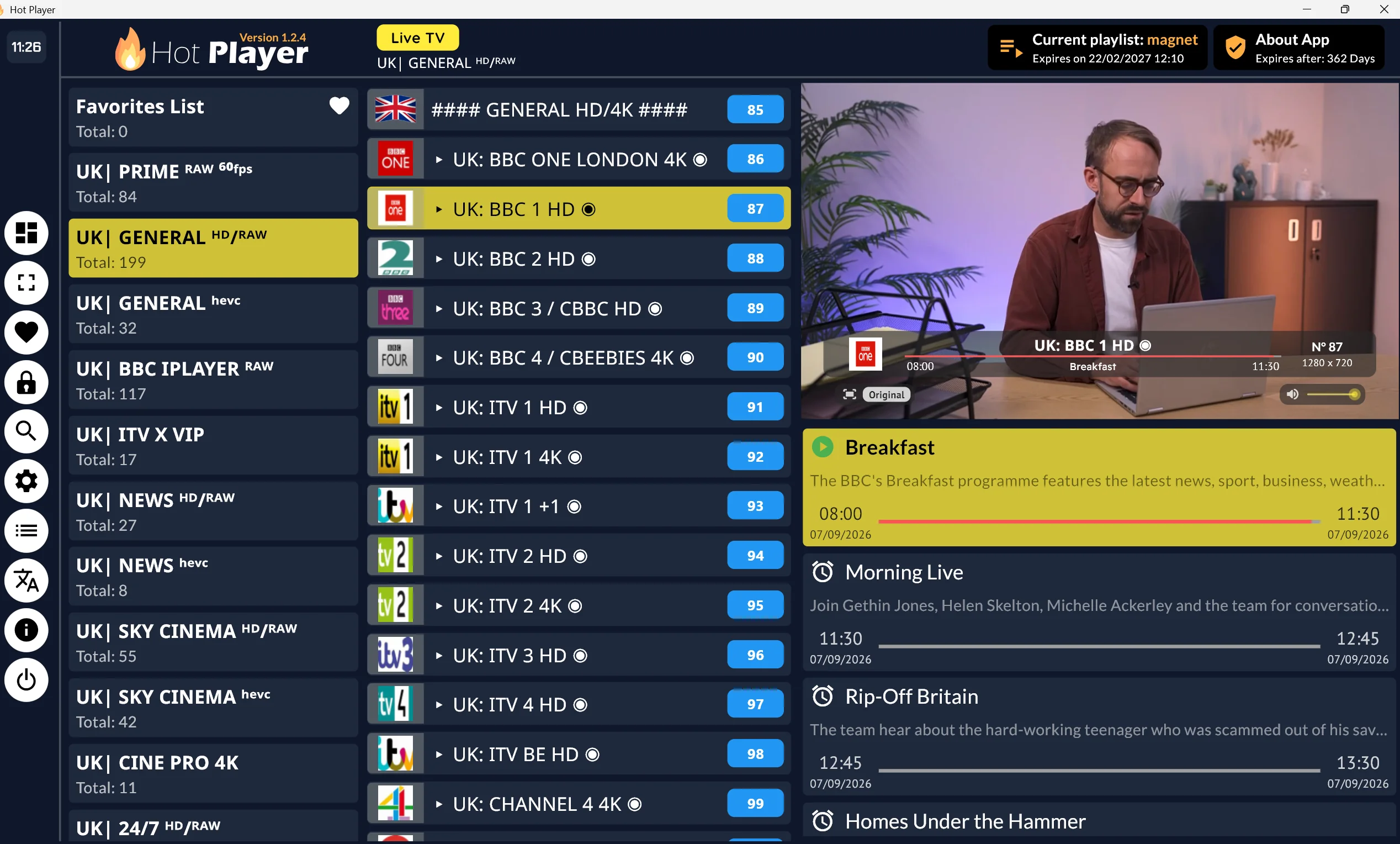
An IPTV free trial is a limited period that lets you test a legitimate internet-TV or streaming service before committing to a paid subscription. Used properly, it gives you time to check whether a service is easy to use, works on your preferred devices, remains stable on your home connection, and contains programmes you genuinely want to watch.
Quick answer: A legitimate IPTV free trial should clearly identify the provider, explain its billing and cancellation terms, use recognised app or web access routes, and offer content it is entitled to distribute in the UK. Test the service on your actual device and home broadband connection before deciding whether it suits your household.
For UK viewers, the most useful trial is not necessarily the one with the biggest promises. It is one offered by a clearly identified, licensed provider with transparent billing, sensible cancellation terms, and an official way to access its streaming app. A trial label alone does not make an unauthorised service legitimate.
This guide from Magnet UK TV explains what to look for before, during, and after a free IPTV trial. If you are new to the subject, start with our guide, What Is IPTV? A UK Guide to Internet Television, which explains internet television technology and the services that use it.
What Is an IPTV Free Trial?
An IPTV free trial, sometimes described as an IPTV trial UK offer, is a chance to try an internet television service before making a longer commitment. IPTV broadly means television delivered over an internet connection rather than through a traditional aerial, satellite dish, or cable connection. In everyday use, the term can cover live TV, catch-up services, on-demand content, and subscription streaming platforms.
Not every IPTV trial works in the same way. Some providers may offer restricted access, selected features, or an introductory period, while others may not offer an IPTV trial at all. Always read the provider's published terms before registering.
A legitimate trial is normally part of a provider's published subscription process. The company should tell you who it is, what you can access, how the trial ends, and what happens if you continue. You should be able to find the service's terms, privacy information, contact details, and account-management options without relying on a message from an unknown seller.
Trials can take several forms. A provider may offer limited free access, an introductory period, access to selected features, or a paid subscription with a stated cancellation window. The exact format varies, so it is important to read the offer rather than assuming that "free" means there can be no future charge.
Before starting, check whether the trial ends automatically, converts to a paid plan, or requires you to choose a subscription manually. A legitimate provider should show the renewal date, any expected charge, and the cancellation steps before you confirm the offer. If the billing process is unclear, do not assume the trial has no cost after the first period.
A free IPTV trial should also be treated as a practical test, not simply a way to access more content for a short time. Check whether the app is straightforward, whether programmes are relevant to you, whether the video remains stable, and whether the service works where and how your household watches.
There is an important difference between a trial from a recognised content provider and an anonymous offer sent through social media, email, or messaging apps. An unsolicited offer may not disclose who operates it, where the content comes from, or how your payment information will be handled. If those basics are unclear, there is little basis for trusting the service.
Is an IPTV Trial Legal in the UK?
IPTV technology itself is legal in the UK. A service can lawfully distribute television and on-demand content online when it has the appropriate rights or permissions to do so. Many familiar broadcasters and streaming platforms use internet delivery as part of their normal services.
However, a device, app, subscription payment, or "free trial" label does not prove that a service has the rights to show the content it offers. A Firestick is a legitimate streaming device, and media-player apps can be legitimate software tools, but neither establishes whether the content supplied through a particular service is authorised.
Be cautious where the provider is difficult to identify, the content catalogue appears implausibly broad, or the offer promises premium sport, films, and subscription channels without explaining its licensing arrangements. Clear company information and transparent terms are more meaningful signs than dramatic claims about access.
For more UK-specific context, read our guide to IPTV in the United Kingdom. It is also worth reviewing FACT's consumer guidance on the dangers of illegal streaming, which highlights risks that can include malware, fraud, unreliable access, and exposure of personal information.
The same principle applies to a free IPTV trial. A trial period does not prove that the provider has permission to distribute the content it offers, so users should still check the operator, terms, app source, and UK availability.
What to Check Before Starting a Free IPTV Trial
Before signing up, take a few minutes to assess the service rather than focusing only on the trial itself. A provider that is open about its identity, policies, and subscription process is easier to evaluate than one that communicates only through informal messages.
Our guide on how to assess IPTV providers explores the wider checks to make before choosing a service. For an IPTV trial, use the following checklist as a starting point. These checks can help you decide whether a free IPTV trial is worth continuing or whether the provider's information is too unclear to justify payment.
Before-trial checklist
- Is the provider clearly identified? Look for a genuine business name, a website that explains the service, and a clear way to contact the company. A vague brand with no accountable operator is a warning sign.
- Are terms, privacy information, and contact methods visible? You should be able to locate the terms of service, privacy policy, support information, and account help before you hand over personal details.
- Does the offer make realistic claims? Treat statements such as "every channel", "all premium sport", or unlimited lifetime access with caution, particularly where there is no explanation of rights or service limitations.
- Does it explain billing and automatic renewal? Check whether payment details are required, when billing begins, whether the plan renews automatically, and how you will be notified of changes.
- Is the cancellation process easy to find? A credible provider should explain how to cancel in plain language. You should not have to contact an unknown seller repeatedly to stop a subscription.
- Does the service have an official app or recognised installation route? Legitimate services generally provide access through their website, an official app store, a recognised device platform, or a clearly documented browser experience.
- Does the provider explain device limits and simultaneous streams? Find out whether the plan works on one screen or several, and whether household members can watch at the same time within the service's rules.
- Is the payment page secure and credible? Use a normal, secure checkout process and make sure the website address is correct. Avoid payment requests made solely through informal chats or untraceable arrangements.
- Does the content appear to be licensed for the UK? Check whether the provider explains where its service is available and whether the programmes offered make sense for its stated rights and market.
- Is customer support available? Test whether there is a visible support route before subscribing. A working help centre, email address, or official contact channel can be important if billing or playback problems arise.
These checks do not guarantee a perfect experience, but they help you avoid treating a short-term offer as proof of trustworthiness. If key details are hidden before sign-up, they are unlikely to become clearer after you pay.
For a broader provider evaluation framework, read our guide to IPTV providers before choosing an IPTV trial UK service.
What to Test During an IPTV Free Trial
An IPTV trial is most useful when you test the conditions you will experience after subscribing. Do not judge a streaming service solely from a quick five-minute browse on a different device or network. Instead, use a simple plan that reflects your normal viewing habits.
Trial test checklist: Test the service on your main device, watch during your usual evening viewing time, check live and on-demand playback where available, review account settings, test customer support, and find the cancellation controls before the trial ends.
Test the App on Your Main Device
Start with the device you expect to use most often, whether that is a Smart TV, streaming stick, mobile phone, tablet, or web browser. Check that the streaming app is available through an official route, installs normally, and is easy for everyone in the household to navigate.
Look at practical details such as signing in, switching profiles, resuming programmes, and finding settings. An attractive home screen is less important than whether common actions feel reliable and straightforward.
Check Picture Quality and Buffering
Watch a mixture of content, including longer programmes and live TV where it is legally offered. Try viewing during your usual busy periods, such as evenings, when your household may be using video calls, gaming, downloads, or other streaming services at the same time.
Buffering is not always caused by the streaming provider. Wi-Fi coverage, router placement, household bandwidth, the device itself, and the provider's own delivery systems can all affect playback. Ofcom's guidance on staying connected and improving home broadband performance can help you assess Wi-Fi positioning, wired Ethernet connections, and the demands placed on your home network.
If the problem continues, read our guides to IPTV not working, fixing IPTV buffering, fixing IPTV freezing, and channels not loading.
Test Live and On-Demand Content
If the legitimate service offers both formats, test both. Live TV may reveal how quickly channels load, how stable the stream is, and whether the programme guide is accurate. On-demand content lets you assess browsing, playback controls, audio options, and whether the available catalogue matches your interests.
Focus on relevance rather than volume. A smaller, clearly licensed selection that your household will actually use may offer better value than a large catalogue that is difficult to verify or navigate.
Check the Programme Guide and Search Function
A useful programme guide should make it easy to see what is on now and what is coming up. Browse several channels or categories, search for a familiar title, and see whether filters, watchlists, or recommendations make the service easier to use.
Also test whether programme information is understandable. Missing listings, incorrect times, or confusing channel names can make a live-TV experience frustrating even when the video stream itself works well.
Test Subtitles, Accessibility, Profiles, and Parental Controls
Accessibility and family features can matter as much as picture quality. Check for subtitles or captions where they are expected, consider whether text is readable on your television, and look at available audio or accessibility settings.
If more than one person will use the account, test profiles, viewing history, and parental controls. Make sure content restrictions are easy to find and manage, especially if children may use the device.
Check Device Limits and Household Use
Try the service across the devices you intend to use within the provider's stated rules. For example, test a Smart TV in the living room and a mobile device elsewhere in the home, then review whether simultaneous-streaming limits, profile restrictions, or account settings suit your household.
Do not assume that access on one device means every device will offer the same experience. Television operating systems, browser support, and app features can vary.
Test Customer Support Before Buying
Ask one simple, genuine pre-sale question through the provider's published support route. For example, ask where to find cancellation settings or whether a particular supported device can use the official app.
You are not only looking for a fast reply. You are also checking whether the response is clear, professional, and linked to useful help information.
Review the Cancellation Process
Before the trial ends, locate the renewal date and cancellation controls. Take note of whether cancellation happens immediately or at the end of the current period, and whether confirmation is provided. Set a calendar reminder if you do not intend to continue automatically.
| What to test | Why it matters | How to test it |
|---|---|---|
| Video stability | Shows whether playback remains reliable in normal home conditions | Watch a longer programme during busy evening hours |
| Device compatibility | Confirms the service works on the screen you actually use | Test your own Smart TV, streaming stick, mobile device, or browser |
| Programme guide | Makes live viewing and programme discovery easier | Browse current and upcoming programmes, then try search |
| Account management | Helps prevent unwanted renewal or confusing account changes | Find billing, renewal, and cancellation settings before the trial ends |
| Support | Shows whether help is available if a real problem occurs | Ask one straightforward pre-sale question through an official channel |
IPTV Free Trial on Smart TV, Firestick, and Mobile
Test a service on the device you will use most, not only on the device that is easiest to access during registration. A service may look fine on a phone but feel awkward on a larger television screen, while some Smart TV apps have different features from their mobile or browser versions.
On a Smart TV, check whether the official app is supported by your television's operating system and whether the remote control makes browsing, searching, and playback comfortable.
For model-specific information, read our Samsung and LG IPTV setup guide.
On a Firestick or other streaming device, use only recognised installation routes and test Wi-Fi stability, app navigation, and account sign-in. For device-specific context, see our Firestick IPTV setup guide.
An IPTV trial on Firestick can be useful for checking remote navigation, app responsiveness, Wi-Fi performance, and sign-in behaviour on the device you plan to use daily.
Android boxes, phones, and tablets may also support legitimate streaming apps, but compatibility depends on the hardware, operating system, and provider. Read our Android Box IPTV setup guide before assuming that an app will work correctly on your device.
Mobile phones and tablets are useful for testing whether you can continue watching on a second screen when permitted by the provider's terms. Check whether sign-in, playback controls, subtitles, watchlists, and account settings work consistently across your television, mobile device, and browser.
It is also important to distinguish between a content provider and a media-player app. A player is software that can organise or play streams supplied through a valid service, but it does not create content rights or verify a source on its own.
Read more about choosing an IPTV player, our IPTV Smarters Pro guide, and the Smart IPTV app setup guide before installing player software.
Red Flags to Avoid
Not every questionable offer will look obviously unsafe at first glance. The following signs should encourage you to pause, verify the provider, and avoid sharing payment or account details until the service can be properly assessed.
- No business name, address, terms, or support route: A provider should be accountable and reachable. Missing basic identity information makes it difficult to resolve billing, privacy, or access problems.
- Unusually cheap "all channels" or "all sports" offers: Broad, premium-access claims without clear rights information are not a reliable indicator of a legitimate service.
- Payment by cryptocurrency only, bank transfer, or informal messages: These methods can offer fewer consumer protections and can make disputes or refunds more difficult.
- Unknown apps or files outside recognised sources: Unverified software can create security, privacy, and device-stability risks. Do not assume a file is safe because it has been shared in a chat.
- Requests to disable device security settings: Security controls exist to reduce risk. A seller asking you to bypass them should be treated with particular caution.
- Changing website domains or social-media-only support: Frequent changes can make it hard to identify who operates the service or whether support will remain available.
- No clear cancellation or privacy policy: You should know how your data will be handled and how to stop a subscription before you enter payment details.
- Pressure to pay immediately after a short test: A credible service should allow you to review the published terms and make an informed decision without urgency tactics.
- Unrealistic guarantees such as "lifetime access": Streaming rights, apps, platforms, and service operations change over time, so absolute promises deserve careful scrutiny.
A genuine IPTV free trial should let you evaluate the service, not force you to take risks. If you cannot identify the provider, understand the subscription terms, or access the service through a recognised route, it is safer not to share payment details or install unknown software.
Be especially cautious if a seller promotes an IPTV trial UK offer through private messages, promises unrestricted premium access, or asks you to install unknown software. For broader consumer guidance, read our IPTV Legality UK guide.
What to Do After the Free IPTV Trial
At the end of the free IPTV trial, decide based on your real experience rather than the service's headline claims. Think about whether the content was relevant, whether the app worked well on your main screen, how stable playback was on your broadband connection, and whether account settings were easy to manage.
Review the subscription terms one more time before continuing. Confirm the price, renewal arrangements, cancellation method, device limits, and support options. If you needed help during the IPTV trial, consider whether the provider's response gave you confidence that issues would be handled properly after payment.
Choose transparent, licensed services that suit your viewing habits rather than chasing the largest claimed channel list. A sensible decision should account for the programmes your household watches, how many people use the service, the devices in your home, and the level of flexibility you need.
When you are ready to weigh your options more broadly, use our guide on how to compare the best IPTV services. You can also review IPTV Subscription UK before committing to a longer plan.
Frequently Asked Questions
Is there a legitimate IPTV free trial in the UK?
Yes, legitimate streaming and internet-TV providers may offer trials or introductory access. Check that the provider is clearly identified, explains its billing and cancellation terms, and offers content it is entitled to distribute in the UK.
Do I need to enter card details for an IPTV trial?
It depends on the provider's published trial format. Some services may ask for payment details for automatic renewal after the trial, while others may not. Always check when billing starts and how to cancel.
Can I use a free IPTV trial on Firestick?
You may be able to use a legitimate free IPTV trial on a Firestick where the provider officially supports the device and offers a recognised access route. Check compatibility before signing up and avoid unknown files or unofficial installation methods.
Why does an IPTV trial buffer?
Buffering can be caused by Wi-Fi coverage, broadband performance, busy household usage, router placement, the streaming device, or the service's own delivery capacity. Test on your usual network and at the times you normally watch.
Is a paid IPTV trial automatically legal?
No. Paying for a trial does not establish that a provider has the right to distribute its content. Look for a transparent provider, realistic claims, official access routes, and clear UK availability information.
What should I do before an IPTV trial ends?
Check the renewal date, find the cancellation settings, and decide whether the service met your needs for content, reliability, device compatibility, and support. If you do not want to continue, cancel according to the provider's stated process before billing begins.
Conclusion
An IPTV free trial should help you test a legitimate streaming service before committing, not pressure you into an unclear subscription. Use the trial to confirm who provides the service, whether its content appears appropriately authorised for the UK, how billing and cancellation work, and whether it performs well on your actual devices and broadband connection.
The strongest checklist is simple: provider identity, transparent terms, credible access routes, device compatibility, connection quality, useful support, and an easy cancellation process. Taking those steps gives you a more reliable basis for choosing internet television that suits your household.
To continue building your understanding, read our complete guide to What Is IPTV? A UK Guide to Internet Television. For more practical resources, explore IPTV providers, IPTV Legality UK, and our guide to the best IPTV services.