
UK IPTV Player Guide
IPTV Smarters Pro UK: Complete Setup and User Guide
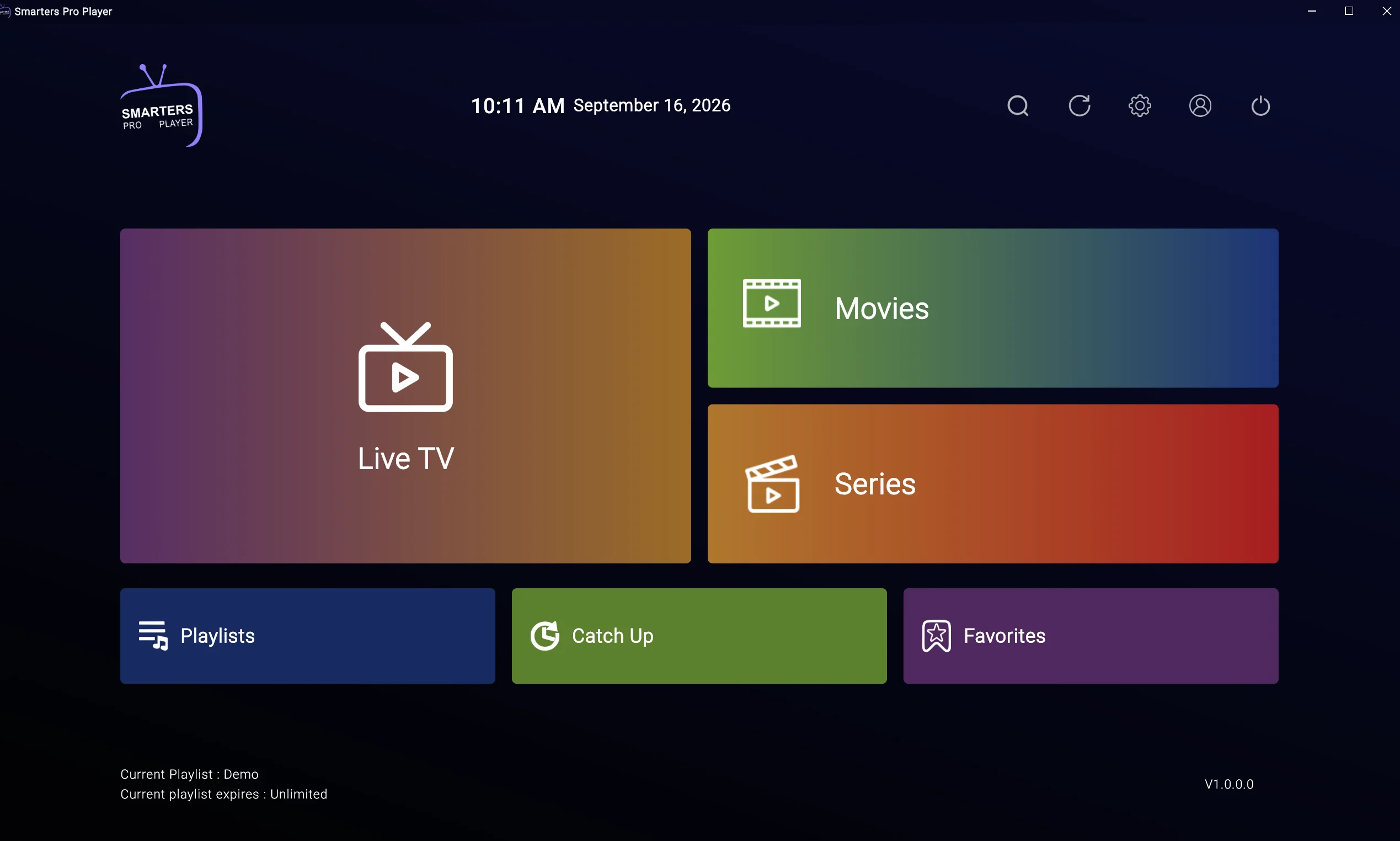
IPTV Smarters Pro is a player application that helps organise and play compatible internet-TV content supplied through a separate account, playlist or provider. The app itself does not automatically include channels or confirm that a content source has the right to distribute what it offers.
This guide explains what the application does, how it differs from an IPTV provider, how to check compatibility and how to install it through recognised sources. It also covers IPTV Smarters Pro setup, login details, playlists, EPG data, playback, buffering, privacy and legal considerations for UK viewers.
IPTV Smarters Pro UK users may access the app on different devices, including Fire TV, Android TV, Google TV, Smart TVs, mobile devices and computers. Availability and features can change, so verify current official information before installing or paying for optional features. For background, read what IPTV is and how it works.
Quick answer: IPTV Smarters Pro is a player app, not an IPTV provider. Its suitability depends on your device, app availability, legitimate account or playlist format, programme-guide support, remote navigation, privacy settings and network quality. Install it through a recognised source and review the provider’s terms separately from the app’s functionality.
What Is IPTV Smarters Pro?
IPTV means television or video delivered through an internet connection. IPTV Smarters Pro is software that can organise and play compatible information supplied through an account or playlist, depending on the version and device.
The application sits between your streaming device and the content source. It may display categories, programme information, search tools, favourites, subtitles and playback controls where those functions are supported by the current version and the data supplied to it.
| Component | Main role | What it does not prove |
|---|---|---|
| IPTV technology | Delivers video over the internet | That a source is authorised |
| IPTV Smarters Pro | Organises and plays compatible content | That the app supplies channels |
| IPTV provider | Supplies or licenses content access | That playback is always reliable |
| Playlist or login | Connects the player to account data | That the source has distribution rights |
| EPG | Displays programme information | That every listing is current |
| Streaming device | Runs the app and displays video | That the app or provider is trustworthy |
A provider manages subscription, account, billing and content access. A playlist or login gives the application information to display, while an EPG adds programme titles and schedules.
A valid IPTV Smarters Pro login does not prove that a source is authorised. Installing the app through a recognised store confirms only that software is available through that platform. For more information about player software, read the IPTV player guide.
Features to Check
Features can vary by app version, device, operating system, account and provider data. Some functions may be unavailable unless the legitimate source supplies the information needed to use them.
When reviewing the IPTV Smarters Pro app, check whether the current version supports:
- Live-TV organisation.
- Film or on-demand categories where legitimately supplied.
- Series categories where supported.
- Electronic programme guide data.
- Search.
- Favourites.
- Categories and groups.
- Subtitles.
- Audio-language options.
- Profiles.
- Parental controls.
- Multi-screen or multi-device functions where supported.
- External-player options where available.
- Catch-up features where legitimately supported.
- Playback controls.
- Account settings.
- Language options.
- Accessibility features.
- Software updates.
- Privacy controls.
An IPTV Smarters Pro app cannot create categories, EPG listings or catch-up content by itself. The connected source must supply compatible data, and the player must support the relevant feature.
The application may suit users who want one interface for organising compatible content, but do not judge it solely by a feature list. Remote navigation, readable menus, reliable sign-in and clear privacy information can matter more than advanced options you never use.
Supported Devices
Firestick and Fire TV
IPTV Smarters Pro Firestick compatibility should be checked through the recognised app source available on your device. Fire OS versions, app availability and storage capacity can differ.
- Whether the application is available for your Fire TV model.
- Whether menus work comfortably with the remote.
- Whether the device has enough storage.
- Whether the app and Fire OS are updated.
- Whether playback controls are easy to use.
Do not install unknown APK files, unofficial modified versions or applications from informal download pages. For related device information, see the IPTV Smarters Pro Firestick guide.
Android TV and Google TV
IPTV Smarters Pro Android TV users should check Google Play Store availability, device certification and Android-version compatibility. Google TV and Android TV menus can differ, and an application designed for a phone may not provide a comfortable remote-controlled experience.
Review search, categories, guide layout, subtitle settings and account controls before relying on the application for everyday viewing. Generic Android boxes may have different software support from certified Android TV hardware. For further information, read Android Box IPTV setup.
Samsung and LG Smart TVs
Samsung Tizen and LG webOS use separate app environments. An application available for Android TV may not be available on Samsung or LG televisions, and compatibility can vary by model, year, region and operating-system version.
Android APK files are not the normal installation method for these platforms. If the app is unavailable, check for a recognised alternative or consider a compatible external streaming device. The Samsung and LG IPTV setup guide explains these platform differences.
Mobile and computer devices
On mobile devices, touch controls, screen size and data use become more important. Windows and Mac users may have browser or desktop options, but these can differ from the television version. Use a unique password, avoid leaving accounts signed in on shared computers and verify that the software comes from a recognised source.
How to Install It Safely
The exact process varies by device, but this general IPTV Smarters Pro setup method avoids common mistakes:
- Identify your device model and operating system.
- Open the recognised official app store.
- Search for IPTV Smarters Pro using the exact app name.
- Check the publisher, description, permissions and app details.
- Confirm compatibility with your device.
- Select Install or Get.
- Wait for installation to complete.
- Open the application.
- Review privacy and account settings.
- Install official updates when they become available.
Do not download unknown APK files, install unofficial modified versions or disable device-security settings. Do not enter account details into unofficial clone applications.
Google’s Google TV app installation guidance explains how to search for and install compatible applications through Google TV. For Fire TV users, Amazon provides Fire TV app troubleshooting, including general steps for restarting devices and addressing apps that do not load.
If the application is unavailable on your device, use an officially supported alternative or compatible external device rather than forcing installation through an unverified source.
Login and Playlist Setup
The application may require account or playlist details supplied by a legitimate, identifiable source. Different versions, devices and providers may support different login methods, so follow the service’s official instructions rather than copying generic details from an unknown website.
When entering IPTV Smarters Pro login information:
- Check spelling carefully.
- Look for accidental spaces.
- Confirm capitalisation and numbers.
- Verify that the account is active.
- Check whether the device is supported.
- Review renewal or subscription status.
- Contact official support if the details appear correct.
An IPTV Smarters Pro playlist may fail if it is expired, incorrectly entered, unsupported by the app or linked to an inactive account. Never publish private credentials, server details or account links in public forums or comments.
A successful login does not prove that the content source is authorised. Review IPTV subscription UK considerations before paying, and see the IPTV free trial guide for advice about testing a clearly identified service.
EPG and Programme Guide
An electronic programme guide displays programme titles, times and descriptions. IPTV Smarters Pro EPG information depends on compatible data supplied by the connected account or playlist.
The guide may be blank or inaccurate when:
- EPG data is not supplied.
- The data is outdated.
- Playlist and guide information do not match.
- The device date or time is incorrect.
- The account is inactive.
- The app refresh has failed.
- A provider-side guide problem exists.
Try these steps:
- Refresh the EPG inside the application where supported.
- Check the device date and time.
- Confirm that the account or playlist is current.
- Restart the app and device.
- Test another supported device.
- Contact the legitimate source if the guide remains unavailable.
A player cannot create accurate programme information without compatible guide data.
Buffering and Playback Problems
IPTV Smarters Pro buffering can result from weak Wi-Fi, broadband congestion, router placement, device performance, outdated software, app cache, incorrect playlist information, account limits or provider-side delivery.
Try these checks:
- Test another programme or category.
- Test another streaming application.
- Restart the app.
- Restart the device.
- Restart the router where appropriate.
- Check app and system updates.
- Review available storage.
- Clear the cache if your device provides that option.
- Test Ethernet where supported.
- Contact official support if several programmes fail.
Do not assume that the application is responsible for every interruption. Compare the same home network with another streaming app and, where possible, test the account on another supported device. For more guidance, read Fix IPTV buffering and IPTV not working.
Common Problems and Fixes
| Problem | Possible cause | Safe step to try |
|---|---|---|
| App will not open | App or device issue | Restart the device and check updates |
| App is missing | Platform or region incompatibility | Check the recognised app store and device support |
| Login fails | Incorrect details or account issue | Re-enter details and contact official support |
| Playlist will not load | Incorrect, expired or unsupported information | Check details with the legitimate source |
| EPG is blank | Missing or outdated guide data | Refresh the guide and check account status |
| Playback buffers | Wi-Fi, device, app or source issue | Test the network and another programme |
| App crashes | Storage, software or compatibility issue | Update the app and review storage |
| Subtitles do not appear | App, source or programme limitation | Check subtitle settings and content support |
| Content is missing | Account, playlist or source issue | Test other categories and contact official support |
| App is slow | Device load or software problem | Restart the device and close unused apps |
If IPTV Smarters Pro is not working while other applications work normally, check the app version, device compatibility, storage and account details. Do not install an unknown replacement application simply because it promises an immediate fix.
Comparing Other Player Apps
IPTV Smarters Pro is one player application among several categories of IPTV software. Other players may be designed specifically for Android TV, Smart TVs, mobile devices or desktop computers.
When comparing the best IPTV apps, consider device compatibility, playlist format, EPG support, search and favourites, subtitles, profiles, privacy information, update frequency, support documentation, cost and ease of navigation.
A provider-specific app may combine account management and playback, while a general player may require separate account or playlist information. Neither type automatically confirms the rights behind the content. For a broader comparison, read Best IPTV Apps UK.
Privacy, Security and Legality
IPTV Smarters Pro is software. The app itself does not determine whether a content source is authorised, provide channels or create distribution rights.
A player app, playlist, subscription, payment or VPN does not prove licensing. Look for an identifiable content provider, clear terms, privacy information, transparent billing and legitimate access routes.
Use official app stores, review permissions and read both the app’s privacy policy and the provider’s terms. Use strong passwords and never share account credentials publicly.
Avoid unknown applications, informal payment requests, unrealistic promises and pressure to subscribe. A VPN does not make unauthorised streaming legal, grant content rights or override service restrictions.
For further context, read IPTV legality UK and IPTV VPN UK. FACT publishes consumer guidance on illegal streaming, while the National Cyber Security Centre guidance covers broader online safety.
IPTV Smarters Pro Setup Checklist
| Check | Why it matters | What to look for |
|---|---|---|
| Device model | Determines compatibility | Exact model and operating system |
| App source | Reduces software risk | Recognised app store or verified publisher |
| Account details | Connects the app to the service | Legitimate, current information |
| Playlist format | Determines whether data can be imported | Format documented by the app or source |
| EPG | Improves programme discovery | Compatible and current guide data |
| Remote navigation | Affects daily usability | Responsive, TV-friendly menus |
| Privacy | Helps protect account information | Clear app and provider privacy terms |
| Updates | Improves stability | Current app and device software |
| Support | Helps resolve problems | Official documentation or contact route |
| Content rights | Supports responsible use | Transparent, credible source information |
FAQ
What is IPTV Smarters Pro?
IPTV Smarters Pro is a player application that can organise and play compatible internet-TV content supplied through an account or playlist. It is separate from the provider that supplies content and does not automatically include channels.
Is IPTV Smarters Pro a provider?
No. The application is a player or interface. A separate provider or content source supplies account information and content access, where authorised. Installing the app does not prove that the source has distribution rights.
How do I install IPTV Smarters Pro safely?
Use a recognised app store or verified developer source, check the publisher and permissions, confirm device compatibility and install official updates. Avoid unknown APK files, unofficial modified versions and instructions that disable security features.
Can I use IPTV Smarters Pro on Firestick?
Availability depends on the Fire TV device, region, app version and recognised app source. Check the current listing and test remote navigation, storage use and playback on the actual Firestick you plan to use.
Can I use IPTV Smarters Pro on Android TV?
You may be able to use it where the current app version supports your Android TV or Google TV device. Check Play Store availability, device certification, Android version and remote usability before relying on it.
Why is my IPTV Smarters Pro login not working?
Check spelling, spaces, capitalisation, account status, renewal information and device limits. If details appear correct, contact the legitimate service through its official support route without publishing credentials.
Why is IPTV Smarters Pro buffering?
Buffering can be caused by Wi-Fi, broadband congestion, device performance, outdated software, app cache, playlist data, account limits or source delivery. Restart the app and device, test another programme and contact official support if the issue continues.
Is IPTV Smarters Pro legal in the UK?
Player software can be lawful, but the content source must have appropriate rights to distribute what it offers. The app, account, playlist or payment does not independently establish authorisation.
Conclusion
IPTV Smarters Pro is a player application, not automatically a content provider. Its usefulness depends on device compatibility, recognised installation, account or playlist support, EPG data, remote navigation, privacy, updates and network quality.
Confirm current app information before installation or payment, use recognised sources and protect account details. Troubleshoot the app, device, network, account, playlist and provider separately rather than assuming one cause.
A careful IPTV Smarters Pro setup can make compatible content easier to organise, but the best IPTV UK experience still depends on the legitimacy and quality of the separate content source.